Showing posts with label smart home. Show all posts

Wednesday, August 2, 2017

Kiss Ironing Goodbye with These 5 Great Laundry Tips

Hate to iron clothes? You’re not alone! Pressing blouses, shirts and slacks can be a very tedious, time-consuming process, but you don’t want to be a wrinkled mess at work and it can cost a fortune to have the dry cleaners handle it! What to do? Luckily, we have some tips that can take the wrinkles out of clothes without the assistance of an iron, so you can look great without having to spend a lot of time dealing with them. Now you can enjoy wrinkle-free clothes without the hassle of ironing- everybody wins!


Set a Timer
It can be tempting to load clothes into the dryer, walk away, and forget about it until it’s time to fold. But this method can make clothing even more wrinkled, especially if you’re doing a large load. Set a timer for 20 minutes. When it goes off, pull out all the items you normally would need to iron, and lay them flat to continue drying, or hang them on a drying rack in your laundry room. They’ll be naturally wrinkle-free when you’re done! If you have a connected appliance, you can sink your dryer time to your phone and either stop it at any time or have the alarm go off when your clothes are ready. 


Use Dryer Sheets
Besides the added bonus of making your laundry smell fantastic, dryer sheets can make clothes come out of the dryer less wrinkled by softening the fabric. Nothing could be easier than throwing a dryer sheet into the laundry, and it is a good first step to an ironing-free lifestyle. Try Downy April Fresh dryer sheets for a nice, light scent that is not overpowering.


Release the Wrinkles!
After your clothing has dried, spray it with a wrinkle releaser and hang it in the closet. A wrinkle releaser does just what it says on the label- releases wrinkles by making the fabric hang straight. We like Downy Wrinkle Release in April Fresh, so the scent can match your dryer sheets!


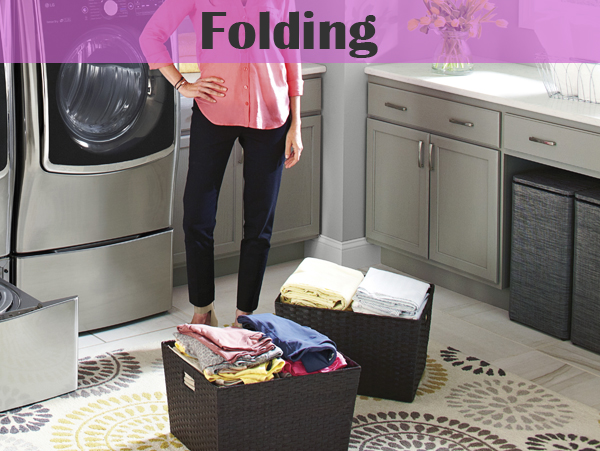
Know When to Fold ‘Em
Leaving your laundry in the basket unfolded after it’s been taken out of the dryer is a great way to get many wrinkles on all your clothes. By folding the laundry the second it comes out of the dryer, you can smooth any wrinkles that would have needed to be ironed out. Bonus: you get to touch nice, warm clothes fresh out of the dryer!


Hang Up
No matter how careful you are with your clothing when you take it out of the dryer, it can all be for nothing if you don’t hang things up as soon as your laundry is done. Let gravity work for you by hanging your items on a hanger to naturally release the wrinkles. This will make your garment look great for a very small amount of work!


Got any more ironing tips (namely, ones that allow you to opt out of ironing)? Let us know in the comments section.

Wednesday, September 14, 2016

Your Guide to Smart Home Devices- Part 3


This is the third installment of our 3-part series about smart home devices and appliances. Today we focus on appliances that are changing the meaning of the word “efficiency,” one technological breakthrough at a time. Check out parts 1 and 2 for more recommendations on the most brilliant smart home innovations of 2016!

Samsung Family Hub Refrigerator, starts at $5,599 - Samsung, leading pioneer of smart home appliance integration, has done it again with its beautifully-designed Family Hub refrigerator. Unlike previous iterations of Samsung smart fridges, this one is fully compatible with Alexa, Amazon’s voice assistant, and will work in conjunction with your smartphones and even stream TV! (Oh, yeah, and it does a great job of keeping food cold too.) Marvel at the 21.5-inch touchscreen that allows you to send and receive messages from your family and friends’ smartphones, share your calendars so your appointments are always handy for viewing, and display family photos (you can take snapshots of your kids’ artwork for a futuristic spin on the old refrigerator magnet!) Dazzle your friends with the efficiency of ordering groceries right from your fridge, courtesy of Alexa. If you have dreamed of talking to your refrigerator (oh, is that just me? Awkward.) this is the refrigerator for you. Of course, all this technology and innovation doesn’t come cheap- the Samsung Family Hub starts at $5,599 for the standard depth stainless steel model, and a counter-depth black stainless model will cost you in the neighborhood of $5,999. You can find one here for a better deal.

LG Smart ThinQ Washer and Dryer, from $1,599.99 each-Wouldn’t it be nice if you could check the status of your wash or dry cycle from your smartphone? With the LG Smart ThinQ washer and dryer combo, to the energy-efficient capabilities designed to optimize your usage of power, Smart ThinQ washers and dryers are a game-changer for the way we will do laundry in years to come. The gorgeous stainless steel construction and sleek design make this a washer/dryer combo you’ll want to show off, and the WaveForce washing technology and TrueStream drying technology help to make each load come out perfectly every time, with no hassle. Best of all, it was recently announced that the entire line of LG Smart ThinQ appliances will soon be adding Alexa (via a Smart ThinQ hub, sold separately), which means your washer and dryer will be able to seamlessly integrate with the rest of your smart home in the very near future. Here is one that we recommend.


GE WiFi Connect Free-Standing Convection Range, starts at $2,099- Turn your smartphone into a remote control for your stovetop and oven with a WiFi Connect range from GE! The appliance giant has gotten into the smart home arena in a big way with a line of free-standing ranges as well as cooktops and wall ovens that can be turned on, off, preheated and more via a smartphone app! Using an IFTTT (If This Then That) “recipe,” Alexa can even be used to trigger on/off verbal commands. Best of all, none of the cooking efficiency is sacrificed in the name of technology- the GE free-standing convection range boasts the largest integrated griddle on the market, as well as a gas convection oven that circulates heat for maximum cooking results every time. Check out all the details here


Looking for appliances to help you upgrade your smart home? Check out part 1 in the smart appliance series. Appliance Factory has a wide range of smart appliances at unbeatable prices. Check out one of our 16 locations today or visit our website. We look forward to helping you create your home of the future!

Friday, September 2, 2016

Your Guide to Smart Home Devices (Part 2)


If you are in the process of converting your house to a smart home, this is the article for you! Go back and read Part 1 of our Smart Home series to find out all about Alexa (Amazon Echo’s virtual assistant) and a few other terrific smart home devices available today. Here are a few more we recommend for your Home of the Future. Enjoy!

August Smart Lock, starts at $199 (August.com)
One of the best things about a smart home is the security that goes along with it. Do you tend to forget to lock your front door at night, or do you often forget your house key? Good news- with August Smart Lock, now all you need is your smartphone. August Smart Lock automatically locks your door and does not unlock it until someone either presses the Unlock button on their smartphone or watch, asks Siri (Apple’s virtual assistant and, I like to think, Alexa’s arch-nemesis), or keys a special code into the August Smart Keypad (sold separately). This means that you can grant access to anyone you authorize to unlock your front door, and you can also lock and unlock it remotely if necessary. Oh, and in case you are wondering if your key will still work in case you’ve forgotten your smartphone, the answer is yes.
Pros: Securely locks door without you having to think about it. Allows you to monitor who is unlocking and locking your door throughout the day.
Cons: Frankly, the lock itself is sort of huge and ugly, but it goes on the inside of the door, so don’t worry too much. Also, it works with Alexa but requires the sold-separately August Connect bridge, which is sort of a bummer. Alexa changes almost every day in terms of ability, so this may change down the road.

Ring Video Doorbell, starts at $199 (Ring.com)
Keeping with the home security side of things, wouldn’t it be nice if you could see who was at your door even when you’re not home? Never miss an important delivery again, tell the pesky salesman you don’t want any without even opening the door, and keep an eye on the comings and goings on your front porch all from your smartphone, thanks to Ring Video Doorbell. A nice extra feature of Ring is that it can double as a home security system, detecting motion in whatever range you choose and alerting you every time motion is detected. Also, for an extra charge, you can purchase stick-up cameras that work with Ring to secure the entire perimeter of your house so you can keep a 360-degree eye on it.
Pros: Great HD video quality, beautiful, futuristic design (the doorbell button glows blue, y’all!) and the always-entertaining ability to freak out the UPS guy by talking to him through it.
Cons: The motion detector can be a bit of a pain, since it seems to be ultra-sensitive to ANY kind of motion, including people passing by in cars.

Belkin WeMo Switch, starts at $45.00 (Amazon.com)
Tired of accidentally leaving the lights on when you go to work in the morning? Would you like to have a few lights automatically come on as you’re on your way home in the evening? Check out the smart switches from WeMo by Belkin. WeMo is compatible with your existing lighting system- just install a WeMo switch in place of your traditional light switch, connect over wifi, and get ready to control your lights from your phone or through Alexa. Best of all, you can program the lights to come on/go off at certain times of the day so you can be sure you’re never wasting electricity because you forgot to shut off your closet light. WeMo switches are also available as wall outlets, so you can plug virtually any appliance, lamp or other device in and control it in the same way. Perfect for Christmas lights!
Pros: Works with Alexa, works with existing lights and electrical wiring.
Cons: Design of smartphone app could be a bit more user-friendly. Also, WeMo seems to require more firmware updates than other smart home devices.

Logitech Harmony Remote Control, starts at $89.99 (hub only) (Logitech.com)
If you are enjoying using Alexa to turn on your lights, adjust your thermostat, and play music, why not take it to the next level of smart home living and let her control your entertainment center? Logitech Harmony allows you to program your TV, audio receiver, DVD/Blu-Ray player, Apple TV and more so that everything can be controlled by a single universal remote. Harmony will turn on your TV, switch to the proper input for the activity you wish to do (“play game,” “watch movie,” etc.) and power on the necessary device automatically. Though it currently does not directly work with Alexa, it is simple to create IFTTT recipes (IFTTT.com) to facilitate voice control with your Amazon Echo.
Pros: Works with an astonishing variety of makes, models and types of devices. Works with Alexa (using IFTTT).
Cons: Will not work with old tech, even if it recognizes the make and model during setup. If you have a device that is more than 6 years old, such as our old Sony receiver, Harmony will not be able to power it on/off, adjust volume, or work controls such as Fast-Forward or Pause.

If you’re super-excited about your smart home but thinking to yourself, “Now, if only I could control my oven with the sound of my voice!” we have got a great article for check out part 3 in our smart home series, all about smart appliances!